
Mechasys XR Projector
No paper plans. No chalk lines. Just your drawings, projected onto the floor, ceiling, or wall.
Built for Interior Construction Layout
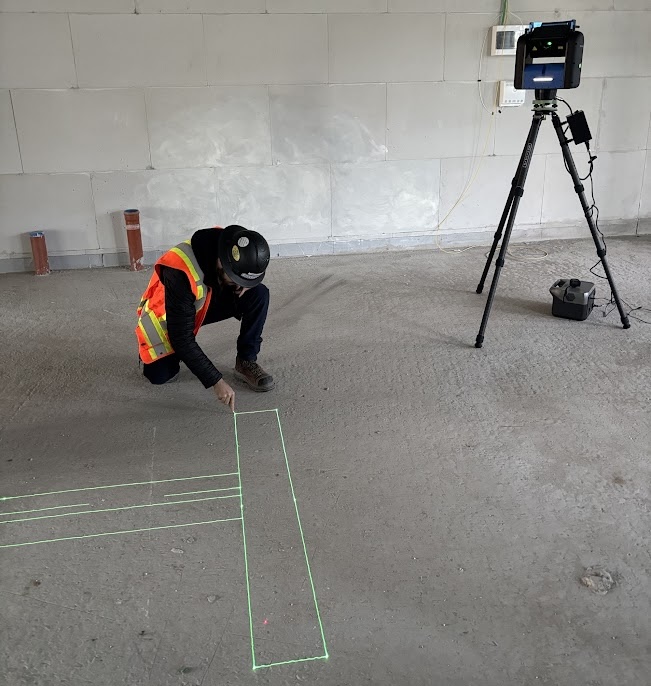
The Mechasys XR Projector displays your digital design file directly onto floors, walls, and ceilings at true 1:1 scale,
so your crew follows the laser projection instead of measuring, marking, and hoping.
Mechasys XR Projector
Built for Interior Construction Layout
The XR Projector is not a general-purpose layout tool. It is a laser layout projection system engineered specifically for interior building construction — where your design is complex, your surfaces are finished or delicate, and you need your entire crew working from the same model at the same time.
- Layout Accuracy: < 3mm on any surface
- Positioning Methods: Control lines, control points, or existing site features
- Projection Surfaces: Floors, ceilings, walls — multi-elevation
- File Formats: DWG, DXF, BIM (2D and 3D)
What is the XR Projector Designed For?
The Short Answer
The Mechasys XR Projector is a laser layout projection layout system engineered specifically for interior building construction. Instead of using traditional tape measures, total stations, or chalk lines, it beams your digital CAD or BIM design files directly onto floors, walls, and ceilings at a true 1:1 scale. This gives your crew the flexibility to skip layout entirely and install directly onto the projection.
Why Laser Layout Projection for Construction
Interiors and MEP Layout
Project walls, ceiling grids, and MEP rough-ins simultaneously. Every installer sees exactly where their work begins — no tape measures or total stations required.
Complex and Non-Linear Designs
Curved walls, elliptic ceilings, architectural patterns. Layouts that are geometrically impossible with tape measures. The XR Projector projects any CAD shape at full scale with no compounding error.
Finished and Aesthetic Surfaces
When working on a surface that is the final finish, chalk lines are not an option. The XR Projector projects without touching the surface — providing precise layouts your crew builds from without leaving a mark.
Real-Time Design Coordination
Plan modifications happen in real time from the tablet and can be re-projected immediately. Every change is tracked and saved, building a live as-built record throughout the day.
Quality Control and Documentation
SmartScan maps the actual surface in 3D to catch deviations before they become problems. Data capture and field report export are built in — QC documentation without manual measurement.
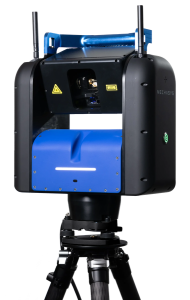
Key Capabilities
- ✓ Projects 2D and 3D plans at true 1:1 scale — points, lines, text, and curves
- ✓ SmartScan 3D surface detection compensates for deviations automatically
- ✓ Works on floors, ceilings, and walls, including multiple elevations in one setup
- ✓ Real-time CAD modification from the tablet — every change tracked and exportable
- ✓ Layer-by-layer projection control: show only what each trade needs to see
- ✓ No prism poles, total stations, or additional accessories required
- ✓ Proprietary fiber optic laser — unmatched pointing stability over distance
- ✓ Global 4G/LTE IoT connectivity for real-time field report sharing
- ✓ Multiple positioning methods: control points, control lines, or existing site features
- ✓ Compact backpack case — 11 kg, easily carried around the jobsite
- ✓ Class 3R laser — among the safest for professional jobsite use
Laser Projection Layout Applications
What the Mechasys XR Projector can layout
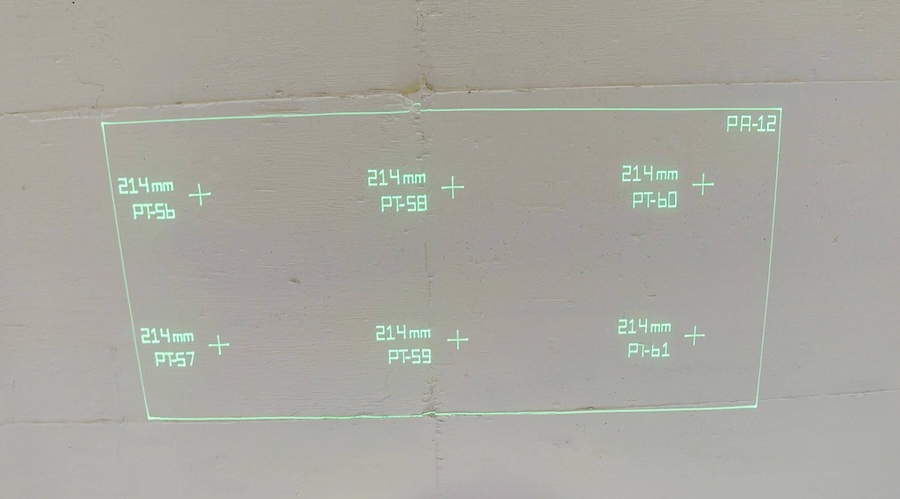
Acoustical Ceilings
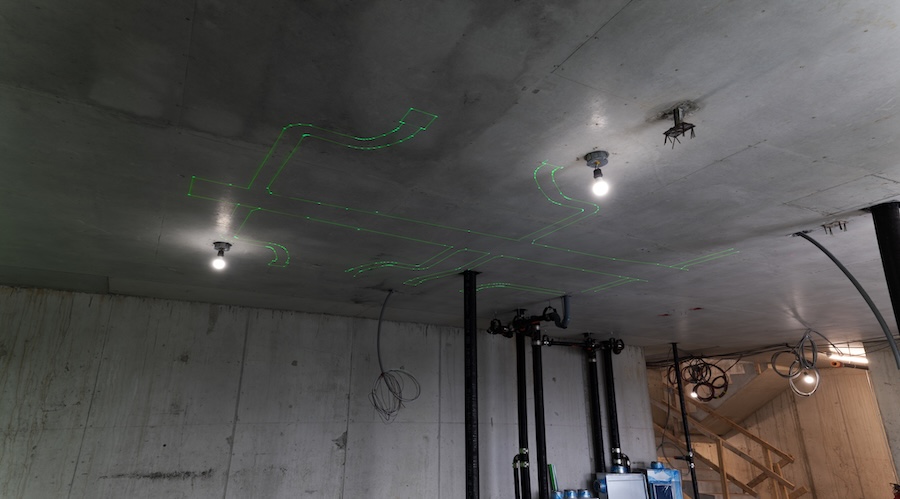
Mechanical HVAC
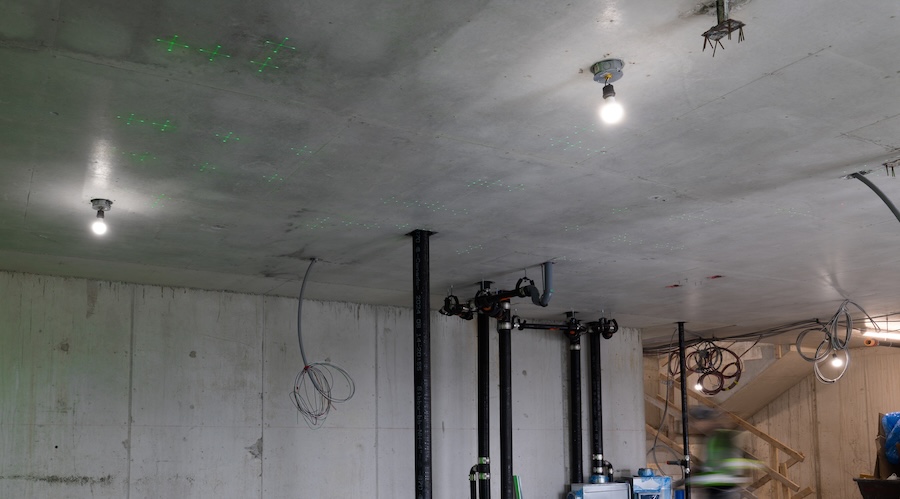
Hanger Layout
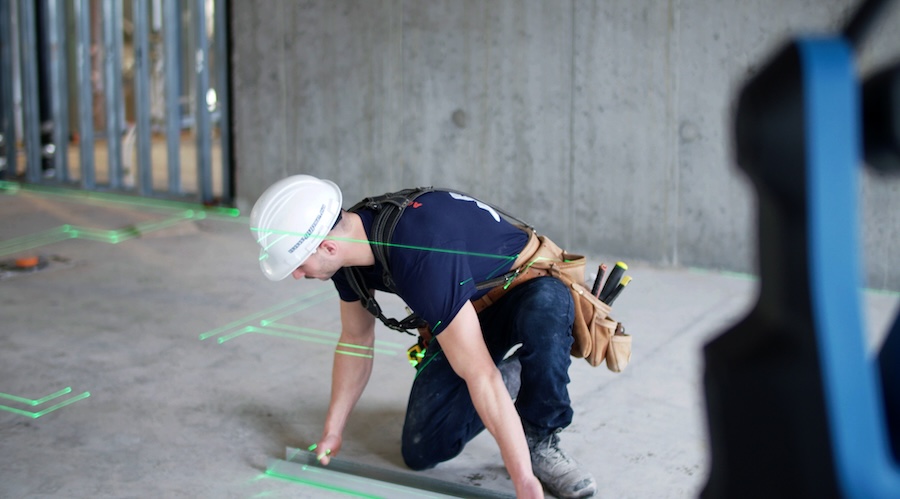
Framing and Carpentry
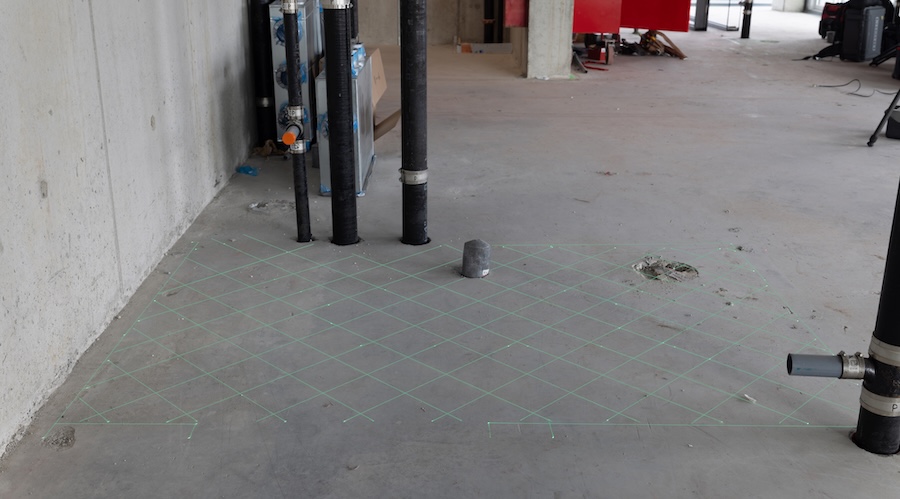
Flooring Layout
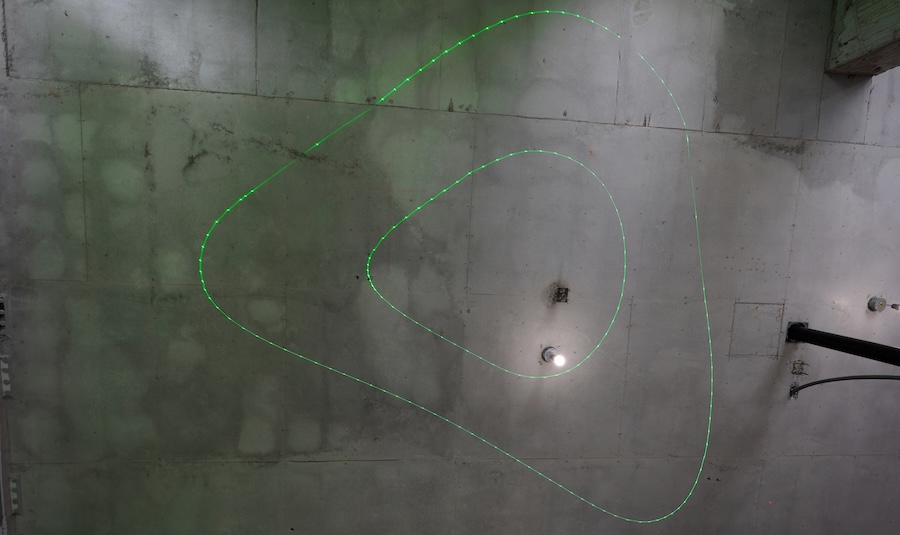
Curved and Complex Layouts
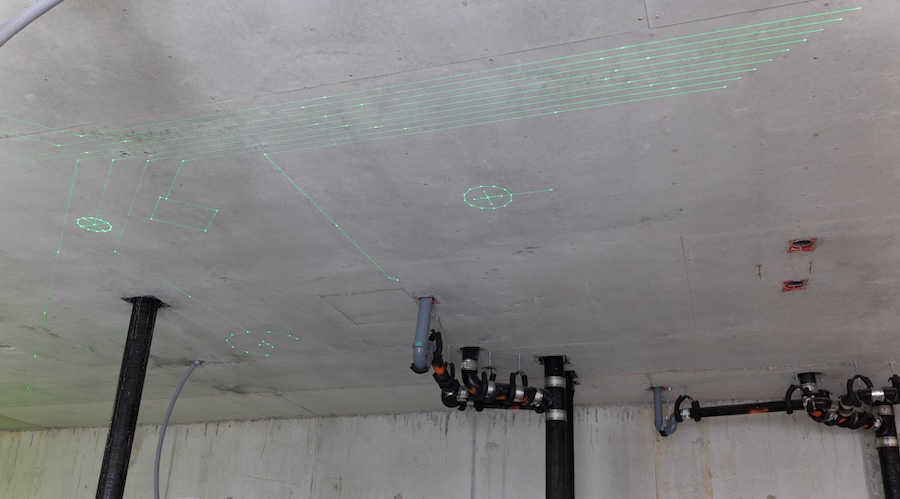
Electrical
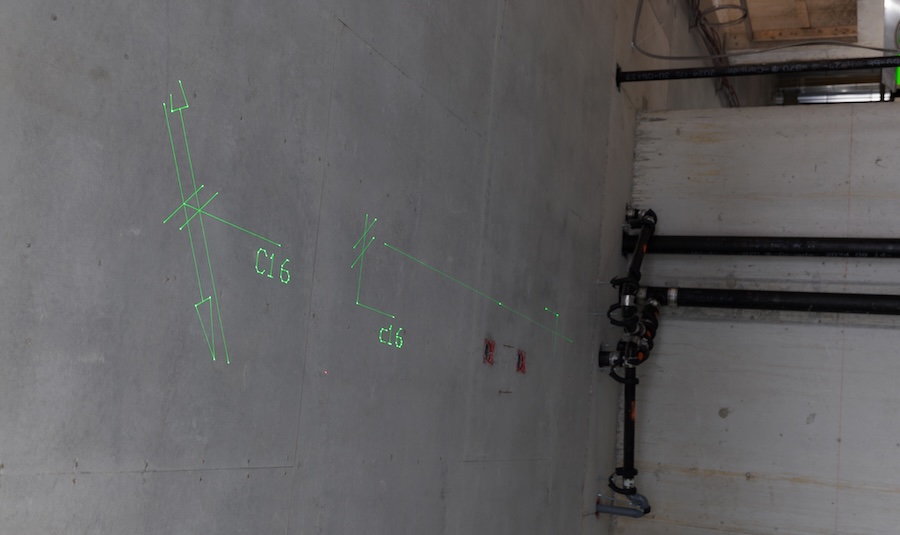
Plumbing
SmartScan Technology
Jobsite surfaces are never perfectly flat — and that’s exactly what SmartScan is built for.
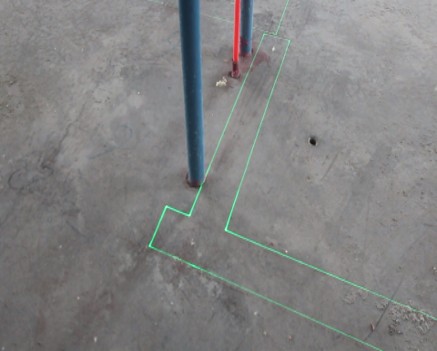
Before projecting your layout, the XR Projector’s SmartScan feature runs a 3D scan of the surface, automatically detecting deviations, slopes, and obstacles. The projector then adjusts in real time, so every line and point lands exactly where it should — regardless of an imperfect slab, an unexpected pipe, or dirty surfaces.
The result: millimeter-accurate layout, every time, even on surfaces that would throw off a traditional measuring method.
Adjust CAD to Match Field Conditions in Real-Time
Plans rarely match up exactly with real world conditions on the jobsite.
The XR Projector lets your crew adjust the CAD file on the fly, right in the field, so layout matches up with reality. Say a pipe comes up a few inches outside where the wall was supposed to land — instead of stopping the job to call the office, your operator shifts the wall line in the model on the spot so the pipe falls inside the wall as intended. The projection updates instantly to reflect the change, every modification is automatically logged with full version history, and you can export accurate as-built drawings whenever you need them.
No more guesswork in the field and no more disconnect between what got built and what’s on paper.
How It Works
Load your CAD or BIM file. Beam it to the surface. Build.
01
Position
Place the XR Projector on a tripod. Register to your job’s coordinate system using control points, control lines, or existing site features.
03
Project
The XR Projector casts your design at full 1:1 scale onto the surface. Points, lines, curves, and text appear exactly where the work goes. Crew has the flexibility to install directly onto the projection or snap chalk lines and mark points.
02
Load
Open your DWG, DXF, or BIM file in the Layout Field app. Select the layers to project — Walls, MEP, structural, ceiling, or any combination.
04
Track Progress and Quality
Teams can view the job file and see exactly how much layout has been completed in real-time. Document QA data and deviations from the tablet as work proceeds. Export field reports to the project team via built-in Cloud connectivity
01
Position
Place the XR Projector on a tripod. Register to your job’s coordinate system using control points, control lines, or existing site features.
02
Load
Open your DWG, DXF, or BIM file in the Layout Field app. Select the layers to project — Walls, MEP, structural, ceiling, or any combination.
03
Project
The XR Projector casts your design at full 1:1 scale onto the surface. Points, lines, curves, and text appear exactly where the work goes. Crew has the flexibility to install directly onto the projection or snap chalk lines and mark points.
04
Track Progress and Quality
Teams can view the job file and see exactly how much layout has been completed in real-time. Document QA data and deviations from the tablet as work proceeds. Export field reports to the project team via built-in Cloud connectivity
Technical Specifications
The numbers behind the performance.
Real projects. Measurable outcomes.
The XR Projector has been deployed on over 200 construction projects across more than a dozen countries. Here is what contractors are reporting.
Result: 716 anchor points across 3,175ft² of complex architectural ceiling projected onto final aesthetic concrete with no marks. Estimated savings: $16,367 vs. total station approach.
“The live projection allowed on-site teams to verify layout in real time, ensuring the design met the precise requirements of both the architect and the client.”
Result: 73% reduction in multi-trade layout time on a major integrated resort project
Result: Layout time cut by half; earlier and more effective quality control self-monitoring
“The XR Projector not only cuts layout time by half but also enhances quality control, allowing for earlier and more effective self-monitoring.”
Training and Resources
Site Precision produces step-by-step video training for our portfolio of construction technology solutions. Our library is growing every month, and every customer gets access from day one.
More Than Equipment. A Partnership.
Site Precision has been helping Midwestern contractors find the right technology since 2001. We carry instruments we believe in, train the crews who use them, and answer the phone when questions come up from the field.
When You Call, We Answer
Real humans pick up the phone. Our team is available during business hours to troubleshoot field issues, answer software questions, and help your crew stay productive.
On-Site Training
Every purchase includes startup training at your location. We get your crew comfortable with setup, layout workflows, and software so they are productive from day one.
In-House Service Department
Calibrations, repairs, and firmware updates handled right here in Grand Rapids. No shipping your instrument across the country and waiting weeks to get it back.
Remote Support
Need help in the field? Our team can connect remotely to walk through software questions, controller issues, or file management without waiting for a site visit.
Loaner Units Available
If your instrument needs service, we provide loaner units so your project keeps moving. You should never have to stop work because your equipment is in the shop.
Want to See the XR Projector in Action?
Our team will walk you through a live virtual or on-site demonstration and show you how it can be integrated into your operations. We’ll project your actual design files so you can see exactly how your crew will use it.